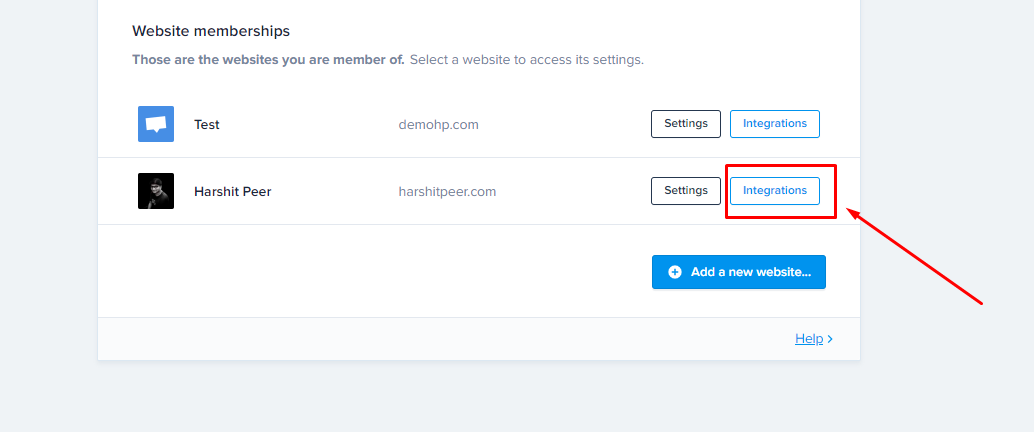
Follow the below steps to set up Crisp Live Chat on your website running AIO Contact
- Login to app.crisp.chat
- Go to Settings -> Website Settings
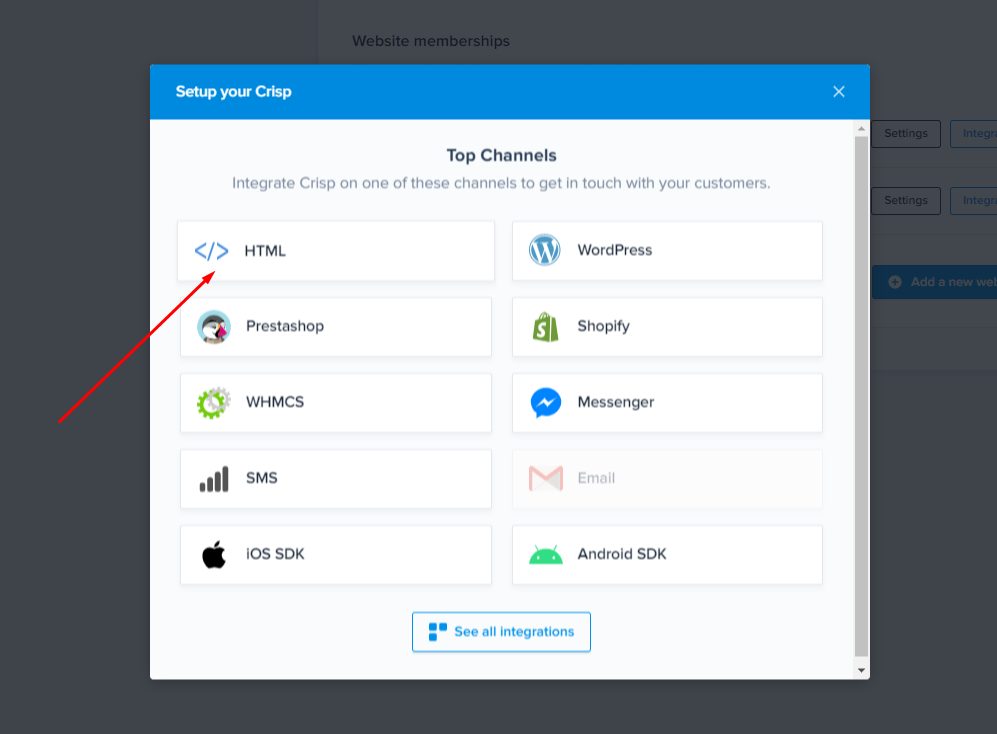
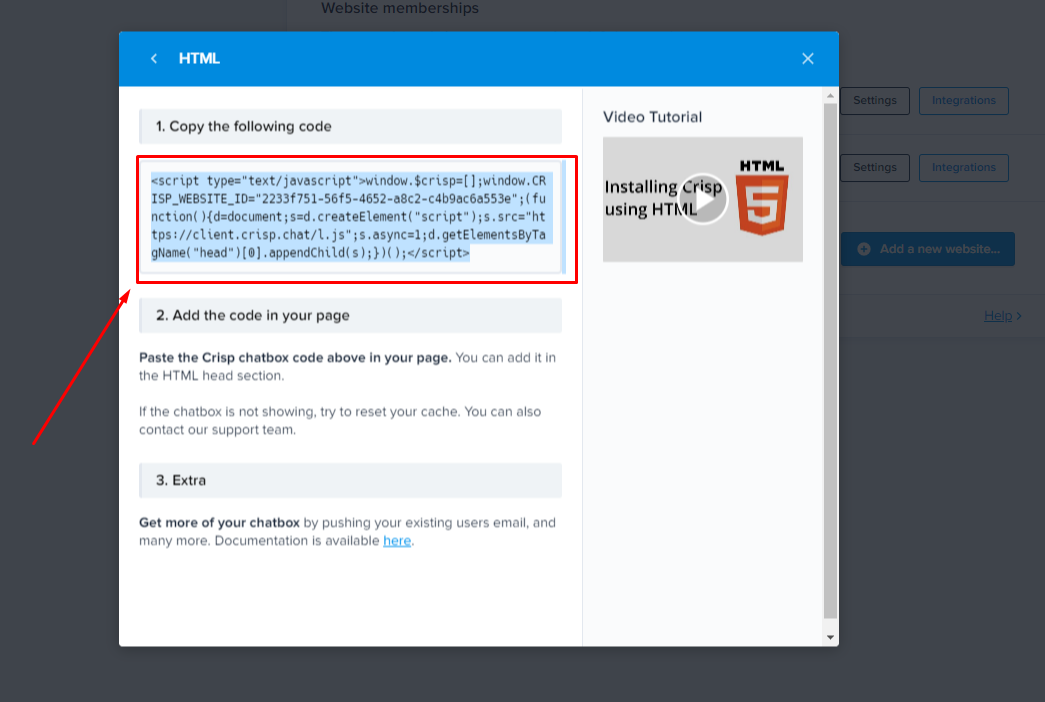
- If you already see your website (where you've installed AIO Contact) on that page, then click on "Integration Button" next to your website -> Click on "HTML" -> Copy the Shown Code
- Now, visit your WordPress site where you've installed AIO Contact
- Login to the WP Admin Dashboard and visit AIO Contact Items Page
- Click on "Add Item" and select "Add Live Chat"
- From the dropdown, select "Crisp" and copy-paste the code in the textarea as shown below.
